Self-Service Kiosk: How to Choose the Right Terminal
Buying self-service kiosks? Compare floor-standing, wall-mounted and countertop models — screens, printers, scanners and payment modules — before you order from a manufacturer.
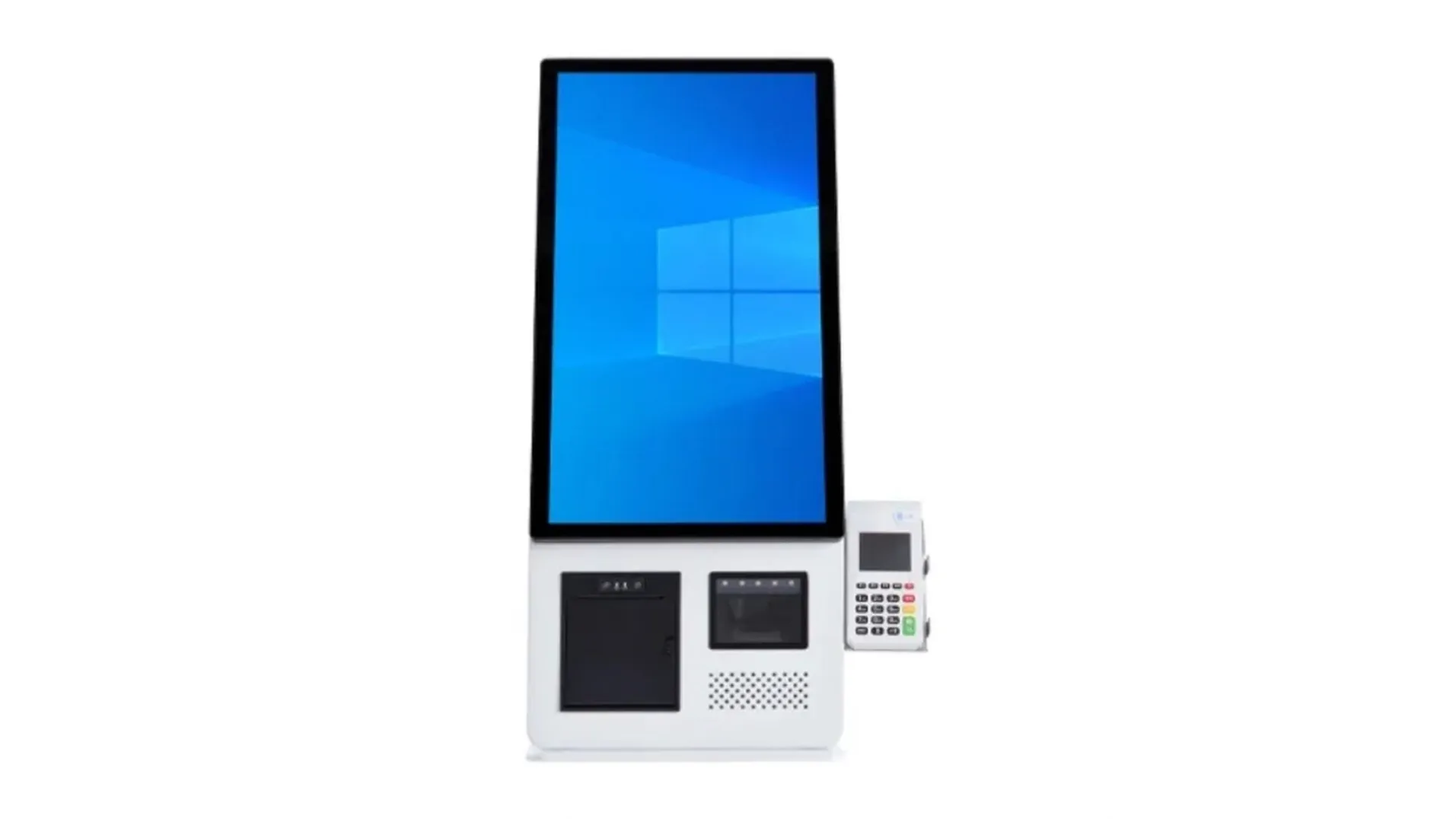
A self-service kiosk is a touchscreen terminal that lets customers order, pay, check in, or check out without staff assistance — combining a touch screen, a printer, a scanner, and a payment module in one standing or wall-mounted unit.
Kiosks now stand in fast-food restaurants, airports, supermarkets, and hotel lobbies, and the reason is straightforward: they cut queues, take orders without errors, and keep serving when the counter is short-staffed. But a kiosk is a system, not a single device. Screen size, mounting, printer, scanner, payment module, and operating system all have to match the workflow — and a mismatch discovered after delivery is expensive to fix. This guide explains the main kiosk form factors, the modules that drive the buying decision, and what to check before you order, whether you are equipping one restaurant or rolling out terminals across a chain.
What Is a Self-Service Kiosk?
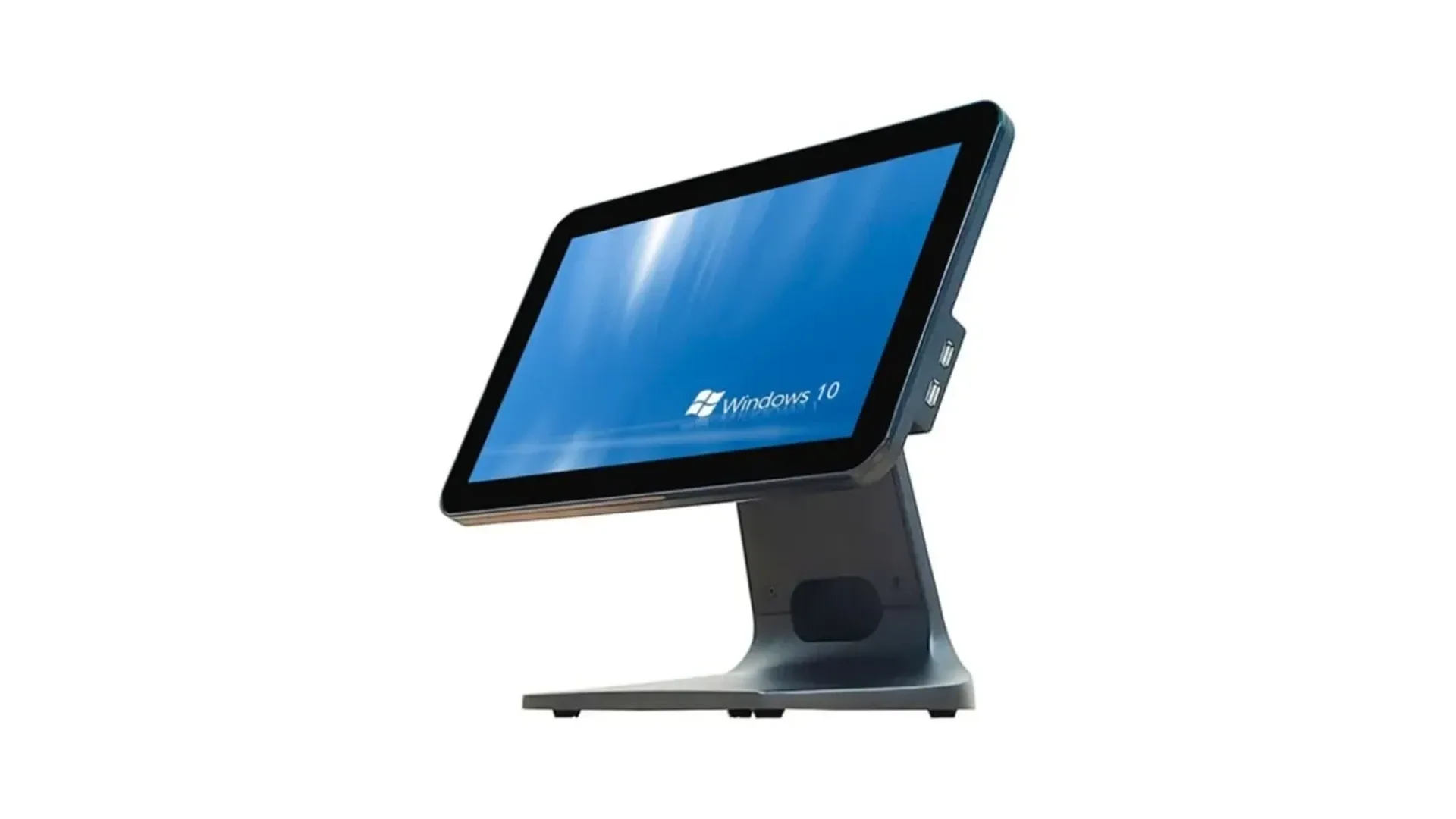
A self-service kiosk is a freestanding or wall-mounted touchscreen terminal that handles a complete customer task on its own: the customer taps through a menu, scans a code or card, pays, and receives a printed receipt or ticket — with no cashier involved. The hardware combines four elements in one enclosure: a touch screen computer that runs the ordering or check-in software, a thermal printer that issues receipts or tickets, a barcode or QR scanner that reads codes from phones and paper, and a payment module that accepts cards or contactless payment.
The software is not part of the hardware purchase — you or your software vendor supply the ordering, payment, or check-in application. The hardware buyer's job is to make sure the terminal can run that software and carry the modules the workflow needs. That is why the first step in any kiosk project is to write down the customer flow — order, pay, print, collect — and only then choose the hardware that supports each step.
GHI builds self-service kiosks as one of its core product lines, alongside all-in-one POS terminals, barcode scanners, thermal printers, cash drawers, and time attendance machines. Our kiosk range covers floor-standing, wall-mounted, and countertop forms, in screen sizes from a compact 8-inch wall unit to a 21.5-inch standing terminal.
Form Factors: Floor-Standing, Wall-Mounted, and Countertop
Form factor is the first decision, because it fixes where the kiosk can go and how many modules it can carry.
Floor-standing kiosks
Floor-standing kiosks are the most common form for restaurants, retail, and airports. They stand on the floor, carry the full module set — printer, scanner, payment terminal — and are visible from across the room, which helps customers find them. Our freestanding vertical self-service kiosk ships with a built-in printer and barcode scanner, and our floor-standing self-checkout kiosk adds a touch screen with the same built-in scanner and thermal printer for retail checkout. Floor-standing units need floor space and a power point, so confirm both before you order.
Wall-mounted kiosks
Wall-mounted kiosks suit corridors, small shops, and spaces where floor space is scarce. They carry fewer modules — typically a touch screen and a scanner, sometimes a compact printer — and they keep the floor clear. Our 8-inch wall-mounted self-service kiosk terminal handles inquiry, ordering, and settlement in a compact wall unit. Wall mounting also puts the screen at a fixed height, so check that it suits both standing and seated users before you fix the bracket position.
Countertop and compact kiosks
Countertop kiosks sit on a reception desk or a shop counter and suit assisted check-in, price checking, and small-footprint ordering. Our supermarket price checker, for example, is a wall-mount unit running Windows 7/10/11 with QR and card checking — a single-purpose terminal that answers one question fast. Compact kiosks trade module capacity for footprint: they rarely carry a full-size printer, so they fit workflows where the customer does not need a printed receipt.
When choosing between forms, ask three questions: how much floor or wall space is available, which modules the workflow requires, and whether customers will use the kiosk standing, seated, or both. The answers narrow the form quickly.
The Modules That Decide the Purchase
The screen gets the attention, but the modules decide whether the kiosk works. Most of the price difference between two kiosks comes from which modules are fitted, not from the screen size.
- Touch screen. The screen is the whole interface, so it must respond accurately to a light touch and stay readable under the site's lighting. Screen sizes in our range run from 8 inches for compact wall units to 21.5 inches for standing terminals. Larger screens suit menus with many items; smaller screens suit single-purpose tasks such as check-in or price lookup.
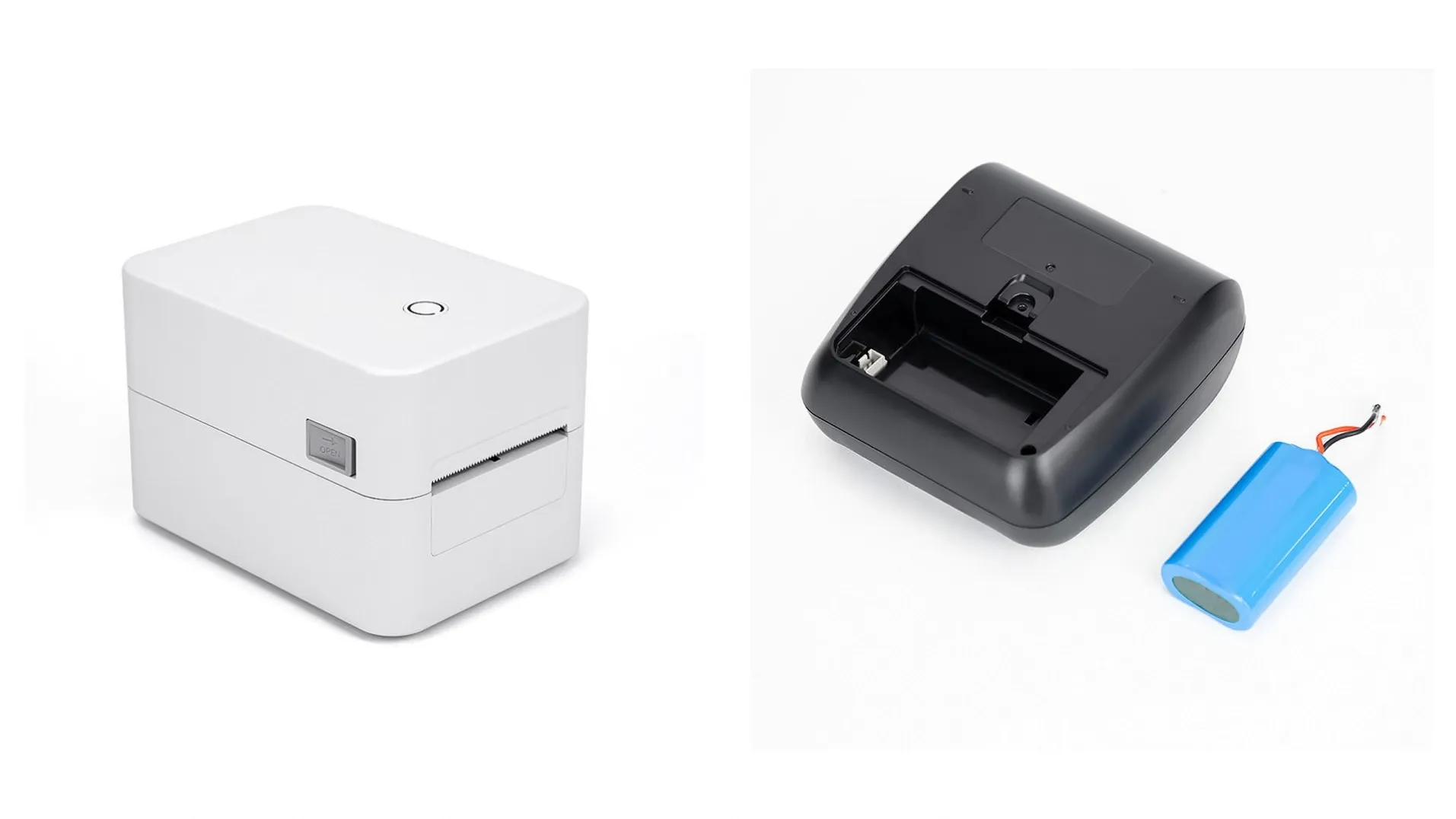
- Thermal printer. Almost every kiosk workflow ends with something printed: a receipt, an order number, a queue ticket, or a boarding pass. Our kiosks ship with built-in 80mm thermal printers as a standard module — the same 80mm receipt width used across our standalone printer range. Confirm the paper-roll size your enclosure accepts, because a small roll means frequent refills at a busy site.
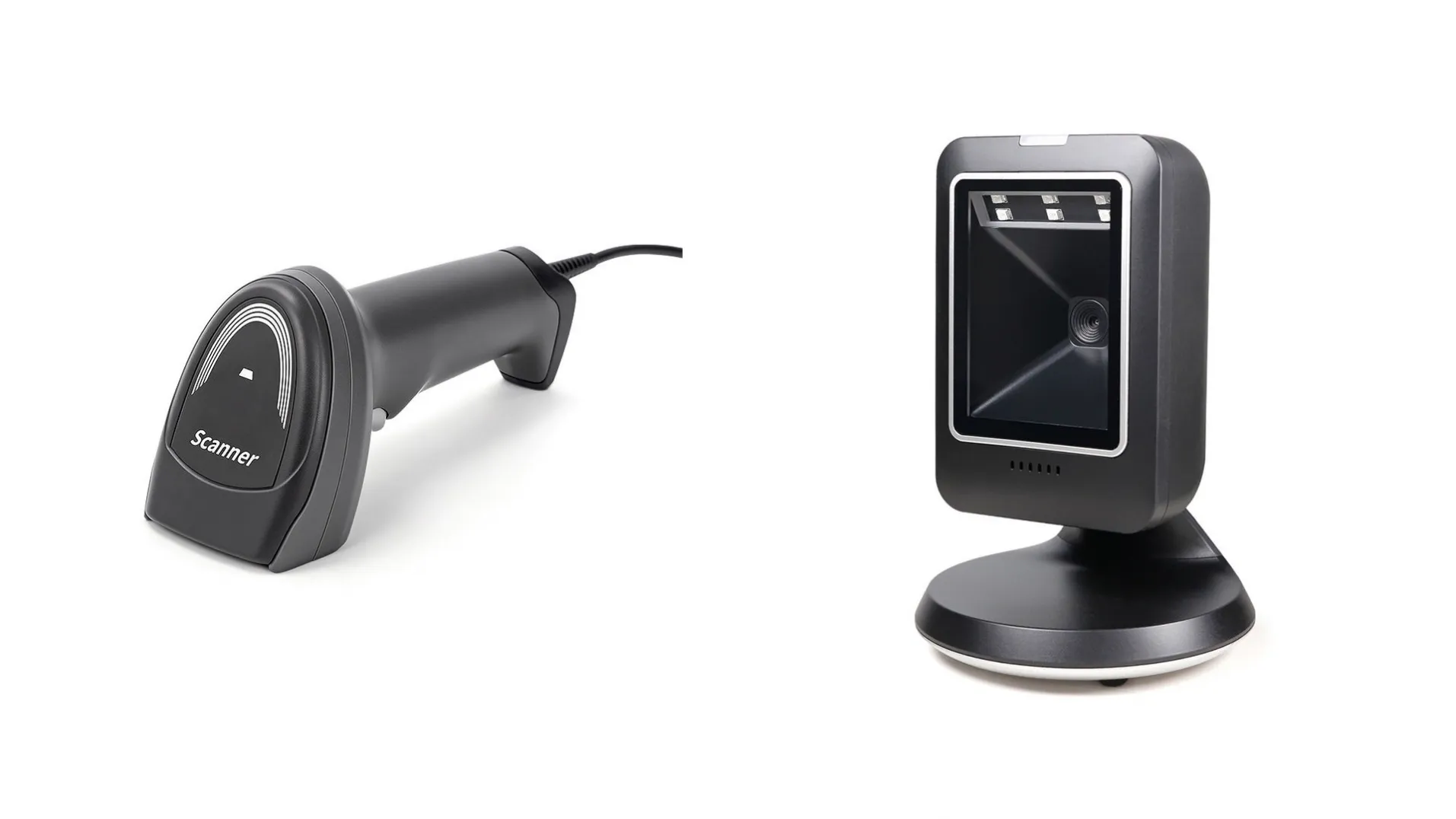
- Barcode and QR scanner. The scanner reads loyalty cards, e-tickets, and QR payment codes from phone screens. Our 21.5-inch airport self-service kiosk pairs its 80mm built-in printer with an SDK barcode reader, so integrators can tie scanning into their own check-in or boarding software. Test the scanner with the phones and codes your customers actually use — a scanner that misses cracked screens will stall the queue.
- Payment module. If the kiosk takes payment, it needs a card reader or a PIN pad — and that device should be a certified payment terminal from your payment provider, mounted into the kiosk, so that payment security stays with the payment vendor. Our self-order kiosk offers an optional card payment PIN pad alongside its thermal printer and barcode scanner. Confirm the cut-out size and cable routing with your payment provider before you order the enclosure.
- NFC and card readers. Contactless cards, membership cards, and transit cards each need their own reader. Our self-service kiosk with NFC card reader combines a scanner, thermal printer, and NFC reader with multiple stand options, so one model can serve different mounting situations. Match the reader to the card types your market actually uses.
- Operating system. Kiosks run Android or Windows, and the choice follows your software: pick the OS your kiosk application needs. Our 21.5-inch airport kiosk ships in Android or Windows configurations, and our price checker runs Windows 7/10/11. Confirm the OS version and the SDKs for the printer and scanner before you commit — the software vendor certifies the unit once, and you reorder the same configuration.
Which Kiosk Fits Your Site?
Use this table to narrow the choice, then confirm the exact configuration against your software vendor and your site plan.
| Kiosk type | Example model | Screen | Built-in modules | Best for |
|---|---|---|---|---|
| Floor-standing self-checkout | Floor-standing vertical self-checkout kiosk | Touch screen | Barcode scanner, thermal printer | Retail checkout lanes |
| Freestanding vertical | Freestanding vertical self-service kiosk | Touch screen | Printer, barcode scanner | Restaurants, lobbies, general self-service |
| Self-ordering | Self-order kiosk | Touch screen | Thermal printer, barcode scanner, optional card PIN pad | Restaurants, cafes, fast food |
| Wall-mounted compact | 8-inch wall-mounted kiosk terminal | 8-inch touch screen | Ordering / settlement terminal | Corridors, small shops, space-constrained sites |
| Airport / check-in | 21.5-inch airport kiosk | 21.5-inch touch screen | 80mm printer, SDK barcode reader | Airports, transport, check-in halls |
| NFC multi-stand | Self-service kiosk with NFC reader | Touch screen | Scanner, thermal printer, NFC reader | Sites needing contactless card support |
All models above are published products on this site; module lists are taken from the product titles and pages. Operating system, screen specifications, and enclosure details should be confirmed against the product page and your software requirements before ordering.
Choosing by Business Type
Different deployments stress a kiosk in different ways. Here is what matters most for each:
- Restaurants and fast food. Self-ordering kiosks cut queues and lift average order size by showing the full menu with pictures. The essentials are a large touch screen, a thermal printer for order tickets, and a payment module. Our restaurant ordering kiosk combines a touch screen with a barcode scanner and printer for bill self-order and payment. Place the kiosk where the queue forms, not by the door — customers should see it before they reach the counter.
- Retail and supermarkets. Self-checkout kiosks need a fast scanner, a reliable printer, and a screen large enough for the full product flow. The floor-standing self-checkout kiosk is built for this role. For price lookup alone, a wall-mounted price checker is cheaper and smaller — match the terminal to the task instead of buying a full kiosk for every job.
- Airports and transport. Check-in kiosks need a document-capable workflow: boarding passes, bag tags, and identity checks. The 21.5-inch airport kiosk pairs a large screen with an 80mm printer and an SDK barcode reader for exactly this flow. Confirm the SDK covers your check-in software before you order.
- Hospitality and hotels. Check-in kiosks cut front-desk queues at peak times. The key modules are a card reader for the room key or payment card and a printer for the check-in slip. A freestanding unit in the lobby is the usual choice; a wall-mounted unit suits a small property.
- Outdoor and public sites. Outdoor kiosks face rain, dust, heat, and vandalism, so the enclosure and the screen matter more than the software. We list a self-service payment machine and outdoor information kiosk for ticket vending and public information.
- Distributors and system integrators. Stock one platform that covers several verticals: the same floor-standing chassis with different module loadouts can serve restaurants, retail, and check-in halls. That cuts inventory risk and spare-parts complexity. Check that the supplier can keep the same model in supply for repeat orders — a manufacturer that controls its own production can hold a model available far longer than a trader buying whatever is on the market.
What to Check Before You Buy
Before you order self-service kiosks in bulk, run through this checklist:
- Customer flow first. Write down the exact steps — identify, choose, pay, print, collect — and confirm the kiosk carries a module for each step. Most failed kiosk projects fail on the flow, not the hardware: a missing reader or a printer that cannot issue the right document.
- Software compatibility. Confirm your kiosk software runs on the terminal's operating system, and ask whether the supplier has tested that combination. Ask for the SDKs for the printer and scanner up front — integration effort is the real cost of a kiosk project.
- Payment certification. Use a certified payment terminal from your payment provider, mounted into the kiosk, rather than a generic card reader. Confirm the cut-out dimensions and cable routing with the payment provider before the enclosure is built.
- Accessibility. Check mounting height and reach: all interactive elements — screen buttons, card slot, scanner, printer outlet — should be reachable by standing and seated users. On a tall portrait kiosk this needs planning at the drawing stage, not after installation.
- Power and network. Confirm the power supply at the install site and the network connection — wired Ethernet is the reliable choice, with Wi-Fi as a fallback. Check that the kiosk supports remote management and scheduled power-on, so a fleet can be maintained without visiting every site.
- Certifications. CE, RoHS, and FCC marks show the hardware meets safety and electromagnetic standards in your market. If you sell into India or the EU, check for BIS and REACH as well. GHI hardware carries CE, RoHS, FCC, BIS, and REACH certification.
- Durability and warranty. A kiosk runs all day in a public space, so the enclosure, the screen, and the printer all take wear. Ask what the warranty covers and how spare parts are supplied.
- Supply continuity. If you plan to buy more units later, check that the same model will still be available. GHI has manufactured POS hardware in Guangzhou since 2010, supplies over 2,000 customers, and ships more than 5,000 POS units a month.
Why Buy Direct from the Manufacturer
Buying kiosks from the factory that builds them changes the conversation. You talk to the people who designed the enclosure and fitted the modules, so questions about cut-out dimensions, SDK behavior, and module options get answered directly instead of passing through a reseller. Custom configurations — housing color, branding, packaging, module loadout — are handled in-house, and volume supply runs on the factory's own production schedule.
GHI has manufactured POS hardware in Guangzhou since 2010 and holds a 4.9 out of 5 customer rating. We build all-in-one POS terminals, self-service kiosks, barcode scanners, thermal printers, cash drawers, and time attendance machines, and we provide OEM/ODM for multiple brands — so the kiosk you buy can carry your name, not ours. If you are weighing OEM against off-the-shelf hardware, read OEM POS Terminal vs Off-the-Shelf: Which Is Better for System Integrators? first. You can also see how kiosks fit alongside counter hardware in All-in-One POS Terminal: How to Choose the Right Touch Screen POS System, or browse the full POS hardware range.
Frequently Asked Questions
What is a self-service kiosk?
A self-service kiosk is a touchscreen terminal that lets customers complete a task — ordering, paying, checking in, or checking out — without staff assistance. It combines a touch screen computer with a printer, a scanner, and usually a payment module in one enclosure.
What size self-service kiosk do I need?
For restaurant ordering and retail checkout, a 21.5-inch floor-standing kiosk is the common choice — large enough for a full menu or product flow. Choose an 8-inch wall-mounted unit only for single-purpose tasks such as inquiry, price checking, or check-in where space is tight.
Do self-service kiosks include a printer and scanner?
Most do. Our floor-standing and freestanding kiosks ship with a built-in 80mm thermal printer and a barcode scanner as standard modules. Confirm the exact module list on the product page, since wall-mounted and compact models carry fewer modules.
Should I choose Android or Windows for my kiosk?
Choose the operating system your kiosk software needs. Our 21.5-inch airport kiosk ships in Android or Windows configurations. Confirm the OS version and the printer and scanner SDKs with your software vendor before ordering.
How does payment work on a self-service kiosk?
Payment runs through a certified payment terminal or PIN pad mounted into the kiosk — supplied through your payment provider, so payment security stays with them. Our self-order kiosk offers an optional card payment PIN pad; confirm cut-out size and cabling with your provider first.
Can I get self-service kiosks with my own brand?
Yes. Manufacturers offering OEM/ODM can build kiosks with your logo, housing color, and packaging. GHI has provided OEM/ODM for multiple brands since 2010; send your requirements and we will confirm what can be customized for your order.
Ready to choose your kiosk? Tell us your site and your customer flow — restaurant ordering, retail checkout, check-in, or ticketing — and the modules you need, and we will recommend the right self-service kiosk for your deployment. Contact us or email ghipos@aliyun.com — send your requirements and we will reply with a tailored recommendation, with no obligation.